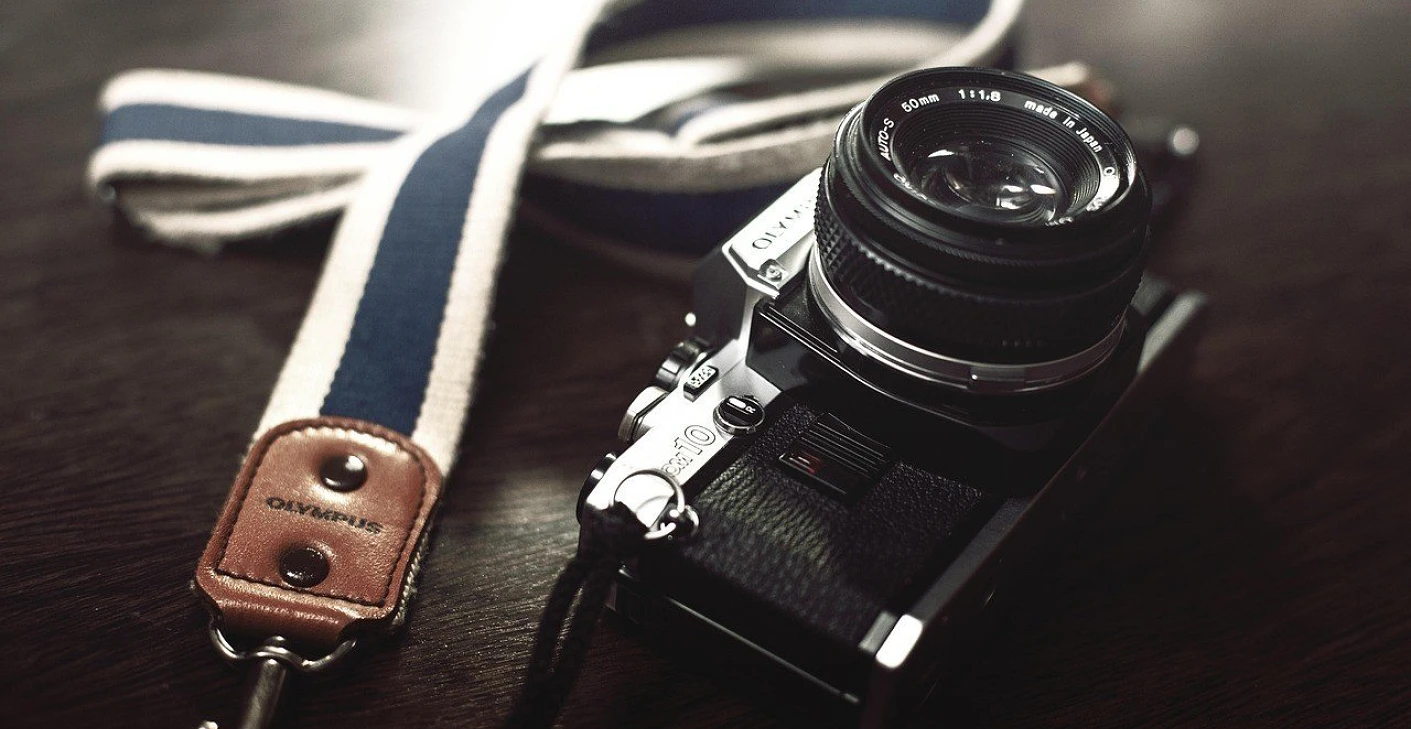
Posted on

What to Look for When Buying a Used Manual Focus Lens

Buying a used manual focus lens? This guide covers what to inspect—from focus rings and aperture blades to lens optics and mount condition—so you can avoid costly mistakes and get the best value.

What to Look for When Buying a Used Manual Focus Lens

In the era of lightning-fast autofocus systems and high-tech digital lenses, manual focus lenses might seem like a thing of the past. But for many photographers, especially enthusiasts and artists, manual focus lenses are a treasure trove of craftsmanship, optical character, and tactile shooting experience. Whether you’re interested in vintage glass for its unique rendering or modern manual lenses for precision control, buying used is an excellent way to expand your gear without spending a fortune.

However, buying a used manual focus lens is not as simple as grabbing the first good deal you see. Unlike autofocus lenses, which rely on motors and electronics, manual focus lenses depend entirely on the precision of their mechanical parts and optical integrity. This makes inspecting them thoroughly even more important.

In this article, we’ll guide you through what to look for when buying a used manual focus lens, so you can avoid costly mistakes and ensure you’re getting a reliable, high-quality lens that enhances your photography.


Why Manual Focus Lenses Are Still Worth Buying

Before diving into inspection tips, let’s quickly revisit why manual focus lenses still attract so much attention:

  • Superior Build Quality: Many manual lenses, especially vintage models, are constructed with durable metal parts designed to last decades.
  • Unique Optical Character: Older lenses often render images with distinct colors, flares, and bokeh that modern lenses can’t replicate.
  • Budget-Friendly: High-quality used manual lenses are often far cheaper than their autofocus counterparts.
  • Creative Control: Manual focusing encourages a more deliberate shooting style, which can be a creative advantage.
  • Adaptability: Manual lenses can easily be adapted to modern mirrorless systems, making them versatile tools even today.

Essential Factors to Check When Buying a Used Manual Focus Lens

1. Physical Condition of the Lens Body

Start by inspecting the exterior barrel of the lens.

  • Check for Dents, Cracks, or Heavy Scratches: While minor scuffs are expected, deep dents or cracks can indicate serious impacts that may have misaligned internal elements.
  • Loose or Missing Screws: Examine all screws and fittings to ensure they’re intact and not signs of a careless repair.
  • Check Mount Threads/Contacts: Ensure the lens mount is not stripped, bent, or excessively worn. A poor fit can cause mounting issues on your camera body.

2. Focus Ring Operation

Since you’ll be focusing manually, the focus ring’s performance is critical.

  • Smoothness: Rotate the focus ring slowly from end to end. It should feel smooth, without stiffness, grinding, or uneven resistance.
  • Consistency: Avoid lenses where the focus ring feels loose, wobbly, or has “dead zones” where the focus doesn’t respond.
  • Hard Stops: Check that the focus ring stops precisely at minimum focusing distance and infinity without overshooting.

3. Aperture Ring Functionality

  • Smooth Clicks: The aperture ring should click firmly into each stop with consistent resistance.
  • De-clicked Aperture (if applicable): Some lenses are designed for video and may have a smooth, stepless aperture—verify this is intentional.
  • Blade Movement: Move the aperture ring while looking through the lens to ensure the blades open and close uniformly.
  • Oil-Free Blades: Shine a light through the lens and look for oil or stickiness on the aperture blades, which can cause them to stick and malfunction.

4. Inspecting Lens Elements (Front & Rear)

  • Surface Scratches: Tiny cleaning marks or light scratches on the glass are often cosmetic and won’t affect image quality, but deep scratches are best avoided.
  • Lens Coating Condition: Ensure the anti-reflective coatings are intact; patches of wear can increase flare and reduce contrast.
  • Internal Haze: Check for foggy or cloudy areas inside the lens, which can severely impact image clarity.
  • Fungus: Look for web-like patterns of fungus, especially near the edges of lens elements. Minor fungus might be manageable, but severe cases can damage lens coatings permanently.
  • Balsam Separation: If you see rainbow-colored patterns or bubbles between elements, that’s a sign of cement separation, which is difficult to repair and affects image quality.

5. Internal Dust & Debris

  • A few dust particles inside a lens are normal, even in new lenses.
  • Large dust particles, hair, or floating debris can affect image contrast.
  • Excessive internal dust could also be a sign the lens was stored improperly, increasing the risk of fungus or haze.

6. Lens Mount & Compatibility

  • Mount Type: Confirm the lens mount is compatible with your camera system or check if a reliable adapter is available.
  • Mount Integrity: Inspect the lens mount for any signs of damage, wear, or loose fitting.
  • Adapter Fit: If possible, test the lens with the adapter you’ll be using to ensure a secure and wobble-free fit.

7. Test Image Quality (If Possible)

If you can mount the lens on a camera:

  • Test Focusing Accuracy: Focus at both close distances and infinity to see if the image snaps into sharp focus.
  • Check for Sharpness: Shoot at different apertures, especially wide open, and check sharpness across the frame.
  • Look at Bokeh Rendering: See how the lens renders out-of-focus areas—many manual lenses are known for their distinctive bokeh.
  • Test Flare & Contrast: Point the lens towards a bright light source to assess flare resistance and contrast handling.

8. Known Issues of Specific Lens Models

Some manual lenses are prone to certain design quirks or recurring issues. Before purchasing:

  • Research forums, user reviews, and technical resources about the specific lens.
  • Look for common complaints such as weak construction points, aperture blade issues, or known optical flaws.
    This knowledge can help you identify red flags during your inspection.

9. Assessing the Lens’s History

  • Ask the Seller About Storage Conditions: Lenses stored in humid environments are more likely to develop fungus.
  • Frequency of Use: A frequently used lens isn’t necessarily bad but should show signs of good maintenance.
  • Original Accessories: Presence of original caps, hoods, or cases often indicates a careful owner.

10. Market Price Research

Do a thorough price comparison across:

  • eBay sold listings
  • Online camera stores (KEH, B&H Used Department)
  • Local photography groups and forums
    Avoid deals that are “too good to be true”—they usually are.

Red Flags to Watch Out For

  • Fungus or haze inside the lens.
  • Stiff or grinding focus ring.
  • Sticky aperture blades or oily residues.
  • Deep scratches on front or rear elements.
  • Loose or bent mounts.
  • Sellers unwilling to provide detailed photos or answer questions.

Best Types of Manual Focus Lenses to Buy Used

  • Vintage Classics: Canon FD, Minolta Rokkor, Pentax Takumar, Nikon AI-S lenses.
  • Modern Manual Primes: Voigtländer Nokton, Zeiss Loxia, Samyang/Rokinon MF lenses.
  • Specialty Lenses: Helios 44-2 (famous for swirly bokeh), Meyer-Optik Trioplan (soap-bubble bokeh).

Conclusion

Buying a used manual focus lens can be incredibly rewarding, offering access to beautifully crafted optics with distinct character. However, it requires a careful and informed approach. By thoroughly inspecting the physical condition, mechanical operation, and optical integrity, you can avoid costly repairs and ensure you’re investing in a lens that delivers both reliability and artistic flair.

Take your time, do your research, and don’t hesitate to ask questions. When you find a gem of a manual focus lens in great condition, it will serve you for years to come—and likely at a fraction of the cost of modern autofocus lenses.

Posted on

Common Canon fit Abbreviations

This article is focusing on common Canon fit photography terms, acronyms, & abbreviations, which are used on Canon lenses. In addition other brands as well, such as Sigma and Tamron, that can be used on Canon digital cameras.

Common Canon Abbreviations

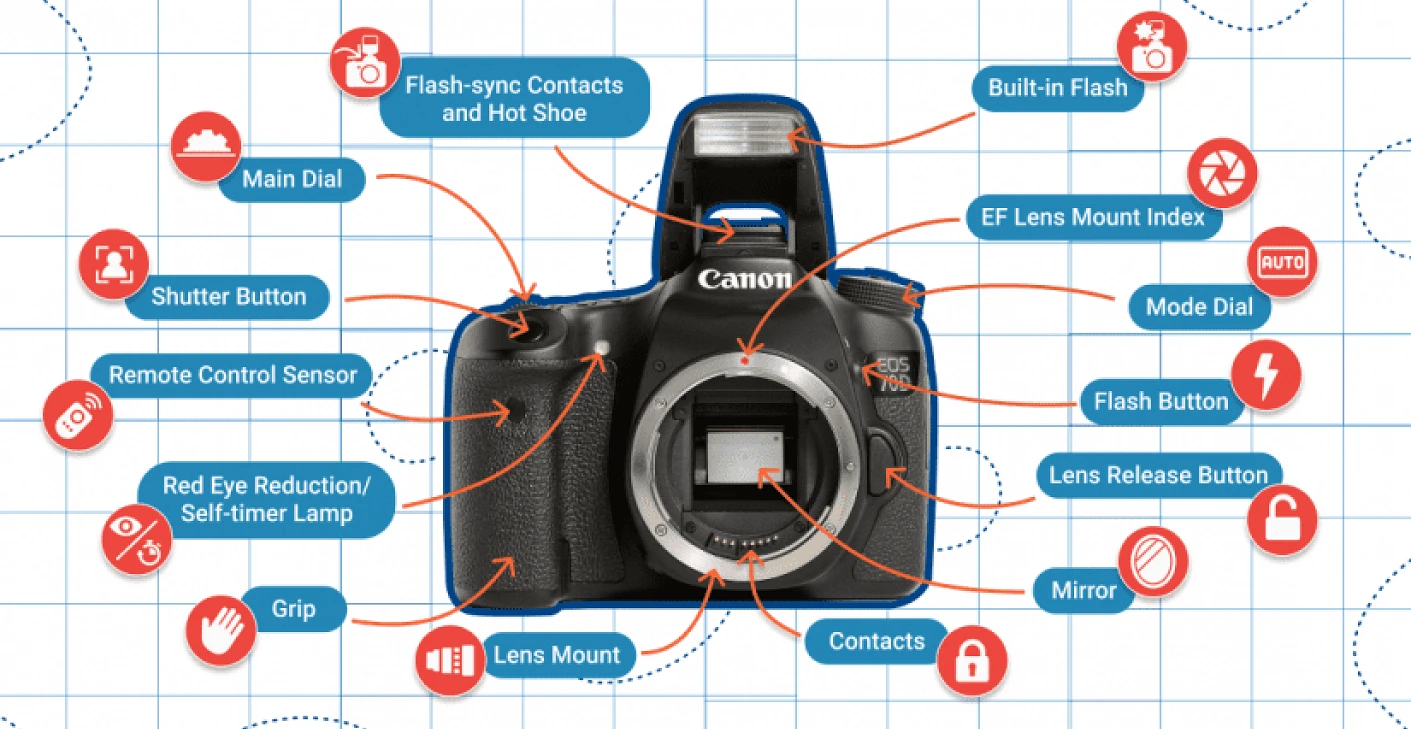
SLR – single-lens reflex camera – typically uses a mirror and prism system (hence “reflex” from the mirror’s reflection) that permits the photographer to view through the lens and see exactly what will be captured.

Digital SLR or DSLR – a digital camera that combines the optics and the mechanisms of a single-lens reflex camera with a digital imaging sensor, as opposed to photographic film.

Canon FL lens mount – FL fit was before 1964.

Canon FD lens mount FD fit was before 1987.

EF mount was introduced in 1987.

EF – electronic focus.

EF-S (introduced in 2003) designed for EOS DSLR models with a compact sized sensor – APS–C (Advanced Photo System Cropped frame) sensor size – lenses lighter and smaller, greater wide-angle choice.

RF mount (introduced in 2018) implements a 12-pin connection between the camera and the lens, a 50% increase over the 8 pins found on the EF mount. Along with more data channels, provides higher speed data transfer for extremely fast AF, enhanced image stabilization and image quality optimization. Canon EF and EF-S lenses can be used on cameras that have the RF mount with mount adapters.

EF-M (introduced in 2012) – more compact compared to the EF and EF-S range, designed exclusively for use with EOS M cameras.

IS – image stabiliser (Canon).

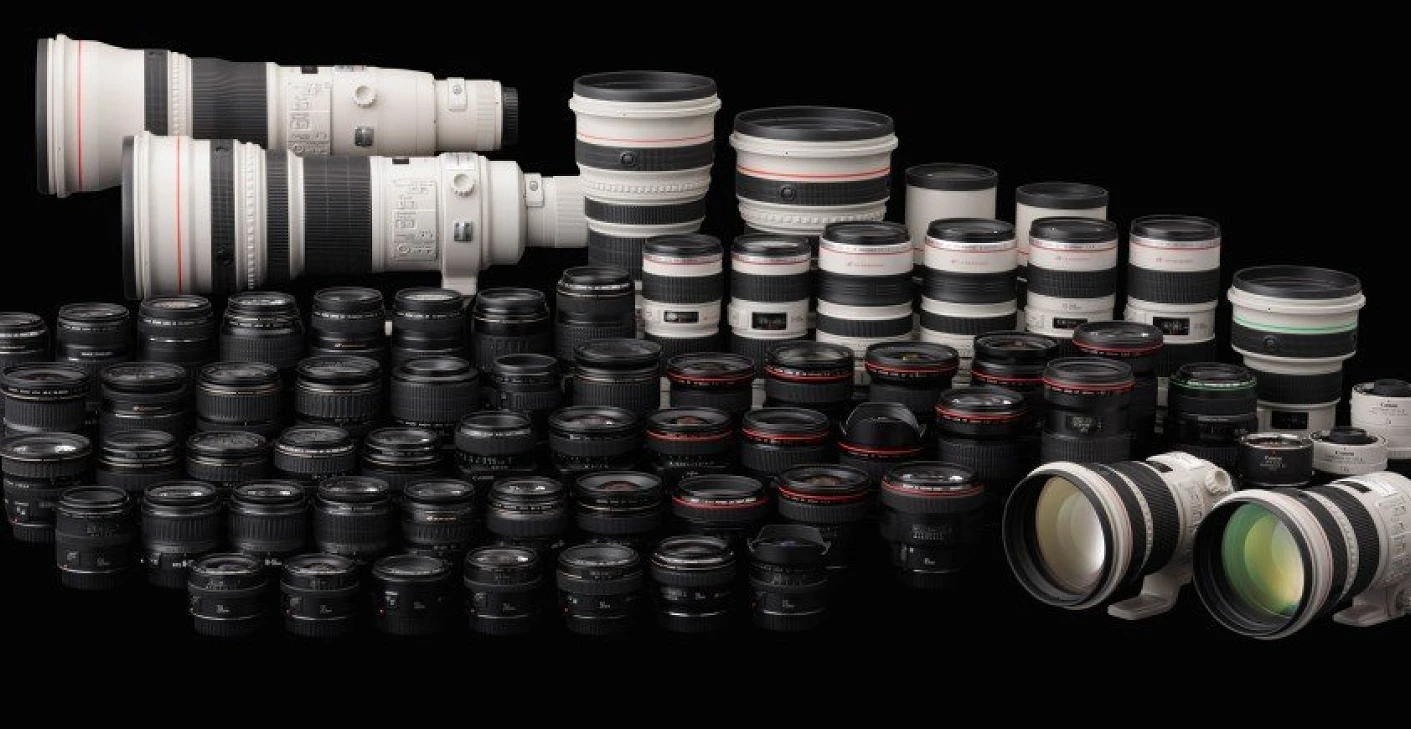
L – Designation for Canon’s professional line of lenses. While more expensive than consumer-grade lenses, these are compatible with Canon Rebel cameras and all use the Canon EF mount. If the lens has a red line, the lens is part of Canon’s L series.

AFD – Arc-Form Drive is the first autofocus motor used in Canon EF lenses. Louder and slower than USM motors. Slower reaction time and no full-time manual focus override. If an autofocus Canon lens has no indication on its barrel what sort of AF motor is used, it is either AFD or MM.

MM –Micro Motor -the least advanced AF motor used in Canon lenses along with AFD. It is a smaller version of the AFD motor. MM is only used in the cheapest Canon lenses, like the EF-S 18-55mm f/3.5-5.6 IS II kit zoom. Does not allow full-time manual focus override like the more sophisticated USM systems do. If an autofocus Canon lens has no indication on its barrel what sort of AF motor is used, it is either MM or AFD.

STM – Stepping Motor – The inclusion of the STM motor allows the camera to focus smoothly and quietly while shooting video and particularly so when using Canon DSLRs equipped with Dual Pixel AF systems. This motor also allows quick AF speeds during still image capture.

USM – Ultrasonic Motor – The inclusion of an ultrasonic motor makes the lens focusing fast and quiet.

DN – lenses designed for compact system cameras.

DO – Diffractive Optics lenses are built to the same exacting standards as L series lenses, but these are designated with a green ring around the lens barrel instead of a red one.

TS-E – lenses with tilt and shift functions,

MP-E – it is a is a prime lens, there is physical extension is because it focuses very close. MP-E focuses from life-size to 5 times life size, provides closer images than macro.

PL mount (Positive Locking) mount or Arri PL – lens mount developed for cinema lenses.

CN-E – cinema lenses for Canon Cinema EOS (Cinema Electro-Optical System). Prime lenses are available with an EF mount, while the CN-E zoom lenses are available in either EF or PL mount. The biggest visual difference between EF and CN-E lenses is that the cinema lenses have gearing around them that allows the focus and aperture to be easily and smoothly controlled via a follow focus or remote control.

I, II, III – designates which version of a Canon lens to distinguish the older model from the newer one.

Read more about Photography Glossary.

Common Sigma Abbreviations

Sigma makes their lenses in a variety of mounts, including Canon (also Nikon, Pentax, Sony/Minolta, some Olympus, and even their own Sigma SA mount).

They backwards engineer the mount and do not pay a license to Canon, so they generally do not use the term “EF” but instead label it as “Canon AF”.

They do not make any lenses using the EF-S mount. Instead, their digital lenses for the “crop” cameras are labelled “DC” and will fit any EF or EF-S mount without interference. So unlike the EF-S lenses, Sigma DC lenses can be used on the older non-EF-S models like the D30/D60/10D.

AF – Autofocus

ASP – Aspherical Lens Elements. A type of lenses that virtually eliminates the problem of coma and other types of lens aberration. They are particularly good at correcting distortion in wide-angle lenses as well as contributing to a lighter and smaller lens design.

APO – Apochromatic lenses. Uses special low dispersion glass for minimum colour aberration and telephoto quality improving contrast and sharpness. APO Zoom Marcos offer up to 1:2 magnification (one half life-size) in the telephoto range with instant shifting from normal to macro shooting. APO Tele-Macros offer a 1:2 image size close focus, when the macro switch is engaged the zoom control ring is fixed at the telephoto end.

CONV – These lenses can be used with the APO Teleconverter EX. It can increase the focal length and will interface with the cameras automatic exposure function.

DC – Lenses designed for APS-C DLSR cameras. Lenses which have been designed so that the image circle matches the smaller size of the image sensor of most Digital SLR’s. Also compact and lightweight.

DG – Lenses compatible with full-frame sensor DSLR cameras. Large aperture lenses with wide angles and short minimum focusing distances. Have peripheral illuminations so are the ideal lenses for Digital SLR cameras, but are still suitable for 35mm SLR’s.

DF – Dual Focus. Disengages the linkage between the internal focusing mechanism and outer focusing ring when in the AF position. Allows holding of the lens as the focusing ring does not rotate during auto-focusing, but gives an adequate focusing torque of the focus ring when manually focusing the lens.

DL – Deluxe. Full-featured lenses and come with a custom lens hood, feature half stop increments on manual aperture settings, depth of field scale, distance scale, infrared correction mark.

EX – Excellence. Used to define professional type lenses, it denotes a superior build and optical quality.

HF – Helical Focus. Eliminates front lens rotation, allowing the use of a perfect hood and easy to use polarising filters.

HSM – Sigma’s designation for Hypersonic Motor. Uses a motor driven by ultrasonic waves to provide quiet, high-speed Auto Focus. Virtually silent, highly responsive auto and manual focusing.

IF – Inner Focus. The lens is able to focus without physically changing its size, where optical movement is limited to the interior of the non-extending part of the lens barrel, allowing for a more compact and lightweight lens as well as closer focusing distances.

MACRO – Used on those lenses which have the ability to be used for close up (macro) photography. Some will have a magnification ratio of 1:3 focusing at 50cm, such as some of their standard Zoom lenses.

OS – Sigma’s designation for Optical Stabiliser. Has a built-in mechanism that compensates for camera shake. Alleviates camera movement when shooting by hand held camera.

RF – Rear Focusing. A system where all the lens elements are divided into specific groups, with only the rear group moving for focusing, making the auto-focus operation smoother and faster.

UC – Ultra Compact. The smallest, lightest lens of its type.

ART – Designed to emphasize creative expression above compactness and multi-functionality

MC – Sigma Mount Converter

Common Tamron Abbreviations

ASL – lenses use one or more aspherical lenses.

DI – Digitally Integrated Design

Di

Digitally Integrated Design – A Generation of lenses designed for optimized use with digital SLR cameras.

Di II – Lenses for APS-C sized sensors only. They are constructed for the exclusive use on digital SLR cameras with smaller-size imagers (Canon EF-S size – max. 16 x 24 mm)

Di III – Lenses for compact system cameras. They are engineered specifically for mirrorless interchangeable-lens cameras. They cannot be used with digital SLR cameras with a built-in mirror box or with conventional SLR cameras.

PZD (Piezo Drive) – it has a piezo drive motor. Read more here.

USD – it has a high-frequency Ultrasonic Silent Drive motor, enabling speedy, silent autofocusing.

XR – Extra Refractive Index Glass Technology. Gives Tamron lenses better performance and allows them to have more compact designs.

Read more about Tamron abbreviations in Tamron glossary

Example:

Canon EF-S 18-55mm f3.5-5.6 IS II DSLR Lens Black

This is a cropped frame sensor Canon electronic focus lens (EF-S) with image stabiliser (IS), 2nd version of the model (II)

Posted on

Do you know what is inside Your DSLR?

You do not require to know anything about internal combustion to run a car, and you truly don’t need to comprehend digital innovation to use a point-and-shoot digital cam, either. Both gadgets are so automated nowadays that there’s not a lot for the driver/shooter to do besides the point the machinery in the best instructions and press the gas pedal or shutter release. Even if you choose to utilize manual controls on a non DSLR, the only things you should comprehend are that this button makes the picture lighter or darker, that one assists freeze action, and this other button alters the method the camera focuses.

If you truly desire to master a digital SLR, you can benefit from understanding precisely how the video camera’s components provide you with a much finer degree of control over your images than the common point-and-shoot video camera. Unlike digital photo photography, where it’s practically impossible to adjust depth-of-field, and usable ISO scores range from ISO 100 to ISO 100 (simply kidding!), the technology constructed into a DSLR does permit you to make a distinction artistically and technically, if you know what you’re doing. And for the average serious professional photographer, that’s what taking photos is all about.

With a DSLR, it’s simple to use depth-of-field to manipulate your images, but you need to understand how digital video cameras work with lenses and their apertures. Like the size of the sensing unit, the sensitivity setting you’re utilizing, and what kind of noise reduction technology is constructed into your electronic camera, and how you select to use it. When you actually dive into how your electronic camera works, you’ll understand that sound decrease can rob your image of sharpness and information.

You’d better comprehend the difference between front-sync and rear-sync shutter settings. Intrigued in utilizing a very long telephoto lens without a tripod or changing to high shutter speeds?

If you’re who I believe you are, you don’t see comprehending digital SLR innovation as an overwhelming job, but as an interesting difficulty. By the time somebody is ready to use all the features of their digital DSLR, he or she is anticipating taking greater control over every element of the picture-taking procedure.

The most soothing thing about digital SLR innovation is that, for the most part, these cameras were developed by engineers who understand photography. Much of the point-and-shoot digital electronic cameras I have used appear to have been designed by a techie who was creating mobile phone or PDAs recently, and then moved over to digital electronic cameras this week. They run like computer systems instead of cams, have functions that no one in their right mind in fact requires, and typically are totally unusable for the kinds of photography for which they are meant. One worrying pattern is towards pocket-sized digital electronic camera that have no optical viewfinder at all. For most of the latest models, it’s essential to frame every image utilizing the back-panel LCD, which, regrettably, washes out in brilliant sunshine, and nearly forces you to hold the video camera at arm’s length, ensuring that powerful image stabilization features are going to be needed to nullify cam shake.

In contrast, digital SLRs are created by individuals who understand your needs. They have, for example, big, brilliant optical viewfinders that provide a reasonable screen of approximate depth-of-field, and which can be utilized under a range of lighting and viewing conditions. The designers of DSLR designs have been developing such video cameras for several years and know from the feedback they get what professional photographers want. Learning DSLR technology will be rewarding for you, because you’ll come to understand exactly how to utilize features that have been created to assist you be a much better and more imaginative photographer.

Posted on

Normal lens advice

In photography and cinematography, a normal lens is a lens that reproduces a field of view that appears “natural” to a human observer. The normal lens is a lens with a normal angle of view. This is approximately in the range of 40 to 50 ° or 40 – 60mm. But what is a normal angle of view? Think about how you perceive the world. Now try to transfer it to the camera. You don’t see the world very far, but you don’t see the world very narrowly either. You perceive your world as “normal”. This is exactly what a normal lens should be, but let me go into a little more detail here.

Normal lens vs. human eye

Theoretically, a normal person perceives approx. 180 ° diagonally. That’s an incredible amount. There are also lenses that can depict this, but this causes extreme distortion (fisheye). So we do not perceive the world with our full 180 ° field of view, but always concentrate on one area. You are probably reading this text on a monitor and concentrating on it. What happens in the corner of your eye is blurred.

So it is difficult to get two movable eyes into the field of view of a photo, but it works best with an angle of view between 40 & 50 °. The image doesn’t look too wide (wide-angle lens ), but also not too narrow (telephoto lens)

In all of the sample images in this post, it looks like the person is standing in front of you. That is exactly the effect of a normal lens. Everything looks normal 😉

Use of normal lenses

Normal lenses are most commonly used in portrait photography. Of course you can also photograph other subjects with the focal length range, but they are best suited for portraits due to their natural effect.

Fixed focal length for beginners

I recommend a prime lens for beginners in this area. It gives a better feeling for perception and you neither get too much nor too little on the picture. It is best to use a 50mm lens here. Thanks to their almost symmetrical construction, these lenses are inexpensive, light and powerful, and perfect for beginners in photography.

With this lens you are forced to concentrate on your subject and the composition of your picture and you cannot “zoom in” on the world.

Buy recommendation 50mm fixed focal length

Canon: EF 50mm F / 1.8 STM *
Nikon: NIKKOR 50mm 1: 1.8G
Sony: SEL-50F18F 50mm F / 1.8 *

Photo with the 50mm 1.8 from Canon

Special feature of CROP sensors

There is a special feature with CROP sensors (APS-C or Micro 4/3). These sensors are significantly smaller than full format. Full frame sensors are used as an output for calculating the focal length . The actual focal length does not change with an image sensor, but the effect of the image and the relation between camera, subject and background do.

That’s why I recommend a wider focal length when using an APS-C camera. Almost all entry-level cameras have an APS-C sensor

That’s why I used a 35mm on an APS-C camera very quickly in my early days.

Of course, I also have a few recommendations for your APS-C camera.

Canon * – Nikon * – Sony *

PS Even with full format, 35mm sometimes work much better than 50mm, even if it is actually too angular to pass as a normal lens. Just give it a try 😉

Posted on

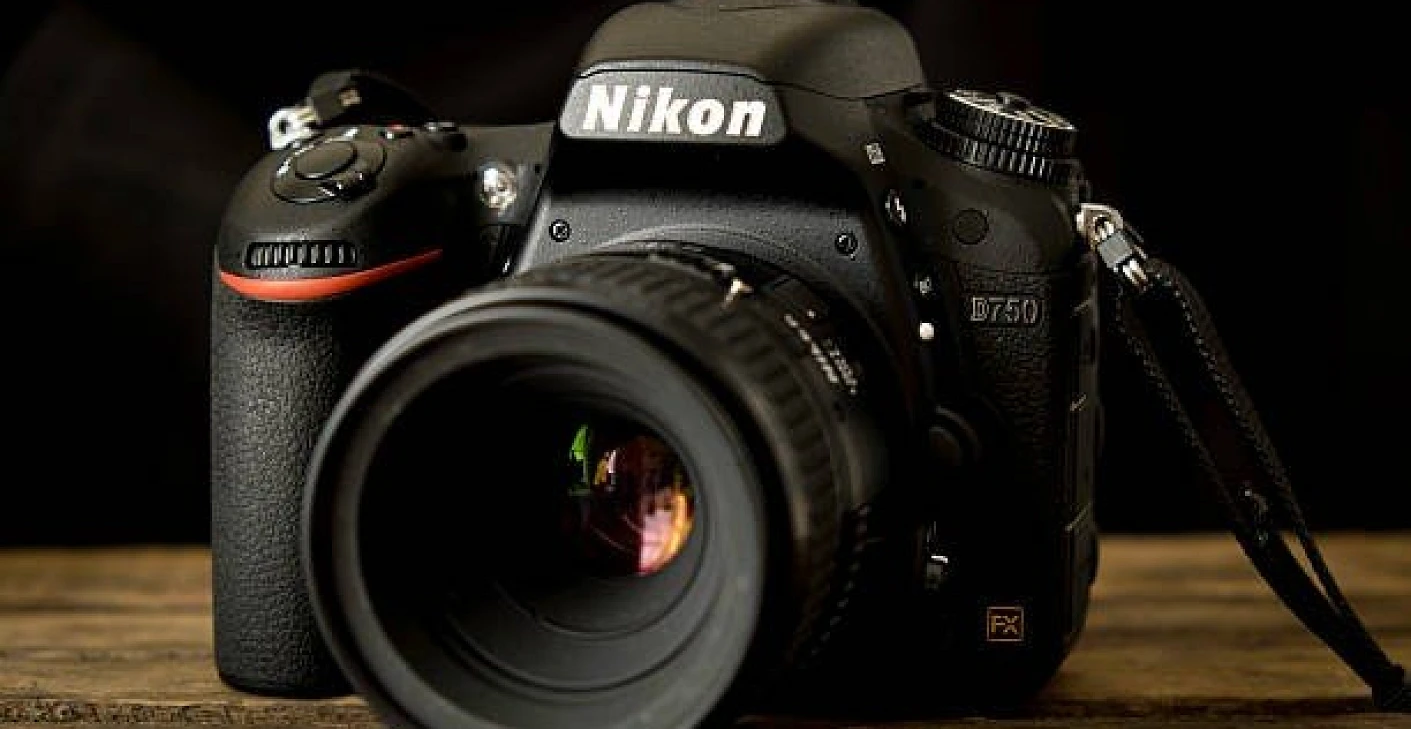
Buying a Nikon D750 in 2025: A Full-Frame Bargain or Outdated Gear?

Thinking of buying a Nikon D750 in 2025? Discover whether this full-frame DSLR still offers great value or if it’s outdated gear. We cover image quality, performance, lens compatibility, and who it’s best for.

Buying a Nikon D750 in 2025: A Full-Frame Bargain or Outdated Gear?

In the ever-evolving world of digital photography, where new mirrorless systems seem to launch every year, the Nikon D750 still manages to hold a significant place in photographers’ conversations—even a decade after its release. But is buying a Nikon D750 in 2025 a wise decision or a step backward? Let’s explore whether this full-frame DSLR still holds its own or has finally aged out of relevance.


Why the Nikon D750 Still Draws Attention

Released in 2014, the D750 was positioned as a mid-range full-frame DSLR aimed at both enthusiasts and professionals. It offered impressive features for its time: a 24.3MP full-frame sensor, a 51-point autofocus system, 6.5 fps continuous shooting, dual SD card slots, and built-in Wi-Fi. Its robust magnesium alloy and carbon-fiber body gave it both strength and a relatively light weight compared to other pro DSLRs.

Even today in 2025, the D750 is widely respected for its balance between performance, image quality, and cost—especially in the used market. But that doesn’t mean it’s the right choice for everyone.


Image Quality: Still Competitive?

The 24.3MP sensor of the D750 continues to deliver sharp, detailed images with excellent dynamic range and low-light performance. While newer cameras may offer more megapixels, that doesn’t necessarily equate to better real-world performance for most users.

In fact, for portrait, wedding, and landscape photographers who don’t need ultra-high resolution, the D750 remains an ideal tool. Its files are manageable in size yet rich in detail, and the colors are typically Nikon—pleasing and natural.


Autofocus and Speed

The D750’s 51-point autofocus system, borrowed in part from the D810, performs reliably in most scenarios. It’s fast and accurate, though it may not match the ultra-sophisticated systems found in modern mirrorless cameras like the Nikon Z8 or Sony A7R V. However, for still photography—including sports and wildlife—the D750 is still a capable performer, especially when paired with fast lenses.

It shoots at 6.5 fps, which might seem slow by today’s standards, but it’s more than enough for most types of photography. Only high-end sports or wildlife shooters might feel limited.


Ergonomics and Handling

One of the D750’s strongest suits is its excellent ergonomics. Nikon DSLRs have long been praised for their comfortable grip, logical button layout, and intuitive menu systems. The D750 is no exception.

It also features a tilting LCD screen—something uncommon for DSLRs of its era—which makes it easier for high or low angle shots. Although it’s not a touchscreen, the tilting feature alone adds versatility.


Video Capabilities

This is where the D750 begins to show its age. It maxes out at 1080p 60fps video, which is increasingly outdated in a 4K and even 8K era. While the image quality is still good, video shooters may find it lacking in resolution, codecs, and modern video-centric features like focus peaking, zebras, and log profiles.

If your needs lean more toward vlogging or cinematic work, a newer mirrorless body would be a better investment.


Lens Compatibility

The Nikon D750 uses the F-mount, meaning it has access to decades’ worth of quality Nikkor glass—both new and old. There are countless affordable used lenses available that pair beautifully with the D750, giving budget-conscious photographers a powerful and cost-effective system.

While Nikon has shifted its attention to the mirrorless Z-mount, F-mount lenses remain widely available and supported. For some, this legacy compatibility is a major reason to choose the D750.


Battery Life and Reliability

DSLRs continue to dominate mirrorless cameras when it comes to battery life. The EN-EL15 battery in the D750 can easily shoot over 1,000 shots on a single charge—ideal for events, weddings, and long shoots without worrying about swapping batteries constantly.

Moreover, the D750 has proven itself to be a reliable workhorse. Its weather-sealed body and durable shutter (rated for 150,000 actuations) mean it’s built to last, even in challenging environments.


Current Market Prices

As of 2025, you can find a used Nikon D750 body in good condition for anywhere between $500 to $750 USD, depending on shutter count, cosmetic wear, and included accessories. This is a significant drop from its original $2,300 launch price, making it an outstanding value for full-frame image quality.

If you’re a hobbyist or an aspiring pro on a budget, the D750 offers a huge leap in quality from APS-C or entry-level gear without the high costs associated with new mirrorless systems.


Who Should Still Consider the D750 in 2025?

✅ Event Photographers: Weddings, parties, and corporate events often don’t require cutting-edge specs but do demand reliability and good low-light performance. The D750 delivers both.

✅ Portrait Shooters: Pair it with an 85mm f/1.8 or 70-200mm f/2.8 and you’ve got a budget-friendly portrait powerhouse.

✅ Budget-Conscious Enthusiasts: If you’re upgrading from crop-sensor DSLRs like the D5300 or Canon Rebel series, the D750 will feel like a huge step up.

✅ Photographers Who Prefer Optical Viewfinders: For those who aren’t ready to give up an OVF for EVF, the D750 offers a satisfying shooting experience.


Who Might Want to Pass?

❌ Video-Centric Creators: Limited to 1080p video and lacking modern video tools, the D750 isn’t ideal for serious videography.

❌ Mirrorless Enthusiasts: If you’re already invested in mirrorless gear or want features like eye-detection AF, silent shutter, or 4K video, a Z-series or Sony Alpha body may be more suitable.

❌ Future-Proofing Buyers: If you want a system that will receive updates, native lens releases, and broader third-party support moving forward, mirrorless is where the industry is headed.


Final Verdict: A Full-Frame Bargain with Caveats

The Nikon D750 in 2025 represents a sweet spot in the used gear market. For less than $750, you get full-frame performance, great ergonomics, excellent stills quality, and a vast lens ecosystem. It may not be flashy or future-proof, but for many photographers—especially those focused on still images—it’s still a worthy companion.

If your needs are basic to intermediate and your budget is tight, the D750 is one of the best full-frame cameras you can buy used today. Just go in with realistic expectations and you may be surprised how well this DSLR classic holds up.

Posted on

Top 3 Used Wide-Angle Lenses for Full-Frame Canon Cameras

Discover the top 3 used wide-angle lenses for full-frame Canon cameras in 2025. Explore affordable, high-performance options from Canon, Sigma, and Tamron that deliver stunning image quality and value.

Top 3 Used Wide-Angle Lenses for Full-Frame Canon Cameras

Wide-angle lenses are essential tools for landscape photographers, architecture enthusiasts, and videographers alike. They allow you to capture sweeping scenes, expansive interiors, and dynamic perspectives that standard lenses can’t replicate. If you’re shooting with a full-frame Canon camera and looking to save money without sacrificing performance, the used lens market is a treasure trove of high-quality options.

In this article, we’ll highlight the top 3 used wide-angle lenses for full-frame Canon cameras that still offer fantastic value and image quality in 2025. Whether you’re a hobbyist or a working professional, these lenses provide reliable performance at a fraction of the cost of buying new.


1. Canon EF 16-35mm f/4L IS USM

Why It’s a Top Pick

The Canon EF 16-35mm f/4L IS USM is often regarded as one of the most versatile and sharpest wide-angle zoom lenses in Canon’s L-series lineup. While not as fast as its f/2.8 counterpart, the f/4 version makes up for it with Image Stabilization (IS), which is particularly helpful in low-light conditions or for handheld video shooting.

Key Specs:

  • Focal Length: 16-35mm
  • Maximum Aperture: f/4
  • Image Stabilization: Yes
  • Autofocus: USM (Ultra Sonic Motor)
  • Filter Size: 77mm
  • Weight: Approx. 615g

Why Buy Used

This lens has been around for years and is widely available in the second-hand market. Used copies often cost 30–40% less than new ones and still perform like champs. Its L-series build quality ensures longevity, making it a safe bet when purchasing used.

Best For:

  • Landscape photographers
  • Event shooters
  • Architecture and real estate photography

2. Sigma 14-24mm f/2.8 DG HSM Art for Canon EF

Why It’s a Top Pick

Sigma’s Art series has earned a strong reputation for delivering stellar optical performance at competitive prices. The Sigma 14-24mm f/2.8 is no exception. It competes directly with Canon’s own ultra-wide lenses but at a lower cost, even more so when buying used.

This lens is exceptionally sharp, with minimal distortion and coma, making it popular with landscape and astrophotographers. The fast f/2.8 aperture also provides excellent low-light capability and beautiful background separation when needed.

Key Specs:

  • Focal Length: 14-24mm
  • Maximum Aperture: f/2.8
  • Autofocus: HSM (Hyper Sonic Motor)
  • Weather Sealed: Yes
  • Weight: Approx. 1.15kg

Why Buy Used

Being a third-party lens, it’s already priced lower than Canon’s equivalents. Buying used can push the price down even more, offering premium performance at mid-range cost. Many professionals upgrade or switch systems, which puts lightly-used Sigma lenses on the market regularly.

Best For:

  • Astrophotography
  • Landscape photography
  • Professional video work

3. Tamron SP 15-30mm f/2.8 Di VC USD G2

Why It’s a Top Pick

Tamron’s SP 15-30mm f/2.8 G2 is a serious competitor in the ultra-wide game. With a fast aperture, Vibration Compensation (VC), and weather-sealed construction, this lens is made for serious work. It has a curved front element, so it doesn’t accept traditional screw-on filters, but many photographers overlook that for the superb image quality it offers.

In particular, it handles flare well and renders rich contrast and detail across the frame—even at 15mm. Compared to Canon’s own 16-35mm f/2.8L, this Tamron holds its ground at a much more accessible price point, especially in the used market.

Key Specs:

  • Focal Length: 15-30mm
  • Maximum Aperture: f/2.8
  • Image Stabilization: Yes (VC)
  • Autofocus: USD (Ultrasonic Silent Drive)
  • Weight: Approx. 1.1kg

Why Buy Used

Tamron’s G2 series lenses are relatively new, so they benefit from modern coatings and performance enhancements, yet they’re already appearing in the used market as photographers upgrade or change systems. Expect to save 20–35% by buying used, especially if you find a lens in excellent condition.

Best For:

  • Travel photographers
  • Wedding and event videographers
  • Interior and real estate shooters

How to Safely Buy Used Wide-Angle Lenses

Before purchasing any used lens, here are a few essential tips to ensure you get the best value:

  1. Inspect Physically or Request Photos
    Check for scratches on the glass, internal dust, or fungus. A few specs of dust are normal, but large particles can affect image quality.
  2. Test Autofocus and Stabilization
    If possible, test the lens on your Canon camera to ensure autofocus and IS (if available) function smoothly.
  3. Check for Front/Rear Element Damage
    Scratches or chips on the front/rear element can drastically reduce image quality or resale value.
  4. Buy from a Trusted Source
    Purchase from a reputable used gear store or photographer with good feedback. Look for sellers offering short-term warranties or return policies.
  5. Confirm Compatibility
    Make sure the lens mount (EF, not EF-S or RF) is correct for your full-frame Canon body.

Conclusion: Why Used Wide-Angle Lenses Make Sense

Wide-angle lenses can be expensive when purchased new, especially high-end models designed for full-frame bodies. However, the used market offers exceptional opportunities to own top-tier glass for significantly less money.

All three lenses listed above—Canon EF 16-35mm f/4L ISSigma 14-24mm f/2.8 Art, and Tamron SP 15-30mm f/2.8 G2—offer superb optical performance, durable build quality, and reliable autofocus, even years after their release. Buying used makes these lenses even more accessible, allowing you to stretch your budget and invest in additional gear or travel experiences.

Whether you’re capturing stunning landscapes, dramatic interiors, or cinematic video content, one of these wide-angle lenses could be the perfect addition to your Canon kit—and buying used makes it all the more attainable.

Posted on

How to Clean and Maintain Your Used Lens

Learn how to properly clean and maintain your used camera lenses. This guide covers essential tools, step-by-step cleaning methods, fungus prevention, and tips to keep your lenses in top condition.

How to Clean and Maintain Your Used Lens

Lenses are the heart of photography, and whether you’ve invested in a brand-new piece of glass or scored a bargain in the used market, proper cleaning and maintenance are key to keeping your gear in top condition. Used lenses, in particular, can accumulate dust, smudges, and even fungus if not cared for properly.

The good news? Cleaning and maintaining a used lens is simple with the right tools and techniques. Regular maintenance ensures optimal image quality, extends the lifespan of your equipment, and protects your investment.

In this guide, we’ll walk you through the best practices for cleaning and maintaining your used lenses, so you can enjoy clear, sharp images for years to come.


Why Proper Lens Care is Essential

Before diving into the how-to, let’s understand why lens maintenance matters:

  • Image Quality: Dust, fingerprints, and smudges can reduce contrast, introduce flares, and soften your images.
  • Longevity: Proper care prevents long-term damage such as fungus growth or mechanical wear.
  • Resale Value: A well-maintained lens retains its value better if you plan to resell it later.
  • Reliability: Clean, smoothly functioning lenses reduce the chance of missed shots due to mechanical issues.

Essential Tools for Lens Cleaning

To clean and maintain your used lenses effectively, you’ll need a few basic tools:

  1. Rocket Blower: For removing loose dust and debris.
  2. Soft Lens Brush: Helps dislodge stubborn particles gently.
  3. Microfiber Cleaning Cloth: For cleaning the lens glass without scratching.
  4. Lens Cleaning Solution: Specifically designed to clean optics safely.
  5. Lens Cleaning Tissues or Wipes: Pre-moistened or dry tissues for single-use cleaning.
  6. Lens Pen: Features a soft brush on one end and a cleaning tip on the other.
  7. UV/Protective Filter (Optional): Acts as a shield to protect the front element of your lens from dust and scratches.

Step-by-Step Guide to Cleaning a Used Lens

Step 1: Use a Rocket Blower

  • Start by holding the lens upside down.
  • Squeeze the blower to blow off loose dust and particles from the lens surface.
  • Focus on both the front and rear lens elements.

Tip: Never use compressed air cans as they can spray propellant and damage your lens.


Step 2: Brush Away Remaining Dust

  • Use a soft lens brush to gently sweep away dust that the blower couldn’t remove.
  • Make light, circular motions without applying pressure.

Step 3: Wipe with a Microfiber Cloth

  • Inspect the lens under a light source for smudges or fingerprints.
  • Using a clean microfiber cloth, wipe in gentle circular motions starting from the center of the glass outward.
  • Avoid using T-shirts, tissues, or paper towels as they can scratch the lens coating.

Step 4: Use Lens Cleaning Solution for Stubborn Marks

  • Apply a drop or two of lens cleaning solution to a microfiber cloth or lens tissue (never directly onto the lens).
  • Gently clean the glass surface with a circular motion.
  • Immediately wipe with a dry section of the cloth to prevent streaks.

Step 5: Clean the Lens Barrel

  • Use a slightly damp microfiber cloth to clean the exterior barrel of the lens.
  • Pay attention to control rings (zoom/focus) and seams where dust tends to accumulate.
  • If necessary, use a soft brush to clean textured areas or engraved markings.

Step 6: Inspect the Rear Element and Mount

  • Repeat steps 1–4 for the rear lens element.
  • Carefully clean the lens mount area to ensure a good connection with your camera body.

Step 7: Use a Lens Pen for Final Touches

  • Use the brush side to remove fine dust.
  • The carbon tip can be used for gentle, streak-free cleaning of any remaining smudges.

Preventative Maintenance Tips for Used Lenses

1. Always Use Lens Caps

  • Keep the front and rear lens caps on when not in use.
  • Caps protect against dust, scratches, and accidental knocks.

2. Store Lenses in a Dry, Clean Environment

  • Store lenses in a dry box or with silica gel packets to prevent moisture buildup.
  • Avoid leaving lenses in humid places to reduce the risk of fungus.

3. Avoid Touching Lens Elements

  • Handle the lens by its barrel, not the glass.
  • Finger oils can degrade lens coatings over time if not cleaned properly.

4. Use UV or Protective Filters

  • A UV filter acts as a sacrificial layer to protect the front element.
  • While it may slightly affect image quality, it’s a cheap layer of defense against scratches and dust.

5. Keep Lenses Away from Harsh Environments

  • If shooting in dusty, sandy, or wet environments, use lens hoods and weather-sealed accessories when possible.
  • Clean the lens immediately after exposure to harsh elements.

How to Deal with Lens Fungus

Fungus is a common issue in older or poorly stored lenses. If you spot faint cobweb-like patterns inside the lens glass, that’s a sign of fungal growth. Here’s what you can do:

  • Isolate the Lens: Keep it away from other gear to prevent contamination.
  • Expose to UV Light: Sunlight can help kill fungus but won’t remove damage already caused.
  • Professional Cleaning: For internal fungus, it’s best to send the lens to a professional repair technician.

How Often Should You Clean Your Lens?

  • Front and Rear Elements: Clean whenever you notice dust, smudges, or fingerprints.
  • Lens Barrel: Wipe down every few weeks or after shooting in dusty/wet environments.
  • Deep Clean: Every few months, give your lens a thorough clean, especially if used regularly outdoors.

Signs Your Lens Needs Maintenance

  • Smudges, streaks, or dust spots showing up in photos.
  • Grinding noise or stiffness in zoom/focus rings.
  • Visible mold/fungus growth inside.
  • Loose lens mount or rattling sounds.
    If any of these occur, address them promptly to avoid long-term damage.

When to Seek Professional Servicing

Some issues are best left to the pros:

  • Internal Dust or Fungus: Requires disassembly to clean.
  • AF/MF Mechanical Issues: If the autofocus becomes sluggish or manual focus feels rough.
  • Aperture Blade Problems: Sticky or slow-moving aperture blades need professional attention.
    Regular professional servicing can extend the life of high-end lenses significantly.

Conclusion

Cleaning and maintaining your used lenses is an essential habit for every photographer. With the right tools and simple routines, you can ensure that your lenses stay in top optical and mechanical condition, delivering sharp, high-quality images for years to come.

Whether you own a vintage manual focus gem or a modern autofocus workhorse, consistent care prevents costly repairs and keeps your photography gear performing at its best. Remember: a clean lens is a happy lens, and your images will thank you for it.

Posted on

Sony-D Lenses

The short answer – Sony-D lenses are Sony-A lenses that have Advanced Distance Integration. D lenses have 8 contacts, non-D lenses have 5 contacts.

Buying Sony lenses could be confusing. So before I go straight to the explanation of what is Sony-D, I will explain the main differences and the evolution of the Sony lenses.

Sony produces cameras with two lens mount systems: E-mount and A-mount. E-mount is used on mirrorless camera bodies. While A-mount lenses are for the standard Sony unique Translucent Mirror type camera bodies. Yet, using the Sony lens adaptors like LA-EA1, LA-EA2, LA-EA3 or LA-EA4, A-mount lenses can also be used effortlessly on E-mount cameras.

The A-mount was originally Konica Minolta A-mount camera system, which is now used with Sony. Sony A-mount  lenses are optically, mechanically and electrically identical to their Minolta predecessors Therefore, all Minolta AF (i.e. Minolta a-mount) lenses from Minolta are compatible with Sony alpha cameras. The older Minolta lenses for film cameras could be used on modern Digital SLR cameras.

The list of existing Sony A-mount lenses on Wikipedia.

Sony-A mount lenses in our web shop.

Also, could be confusing that the Sony-A mount is also called Sony α (the lower case to Greek letter alpha, often transliterated as Sony Alpha). To make it more complicated, Sony has caused even more confusion. Before, if the camera was an Alpha, it had an A-mount or alpha mount. If it was a Nex camera, it had an E-mount. Sony has come out with Alpha E-mount cameras. So it is good to be aware that not all Alpha cameras have Sony-A mount. If the camera says E-mount, it is not compatible with Minolta (and Sony-A) lenses without the Fotodiox lens mount adaptor. This found this website very useful when it comes to lens and camera compatibility.

Of course, as like many other models the Sony lenses are also going through transformation and development. The old Minolta lenses are not all D lenses, while most modern Sony-A lenses are all D lenses. You can quickly tell if a lens is a D lens or not by counting the number of contacts on the lens mount. D lenses have 8 contacts, non-D lenses have 5.

I have collected here some of the best explanations from different forums that explain why Sony-D lenses are better than non-D lenses:

” That doesn’t have anything to do with the ‘D’ designation. In Minolta/Sony ‘talk’ the ‘D’ indicates that the lens has the ‘D’ chip, which gives distance information to the body. You’re thinking that the ‘D’ means that the lens is optimized for digital cameras. However, as Minolta used the ‘D’ before digital came out.”

“Sony now uses the term “distance encoder” in its lens descriptions, which as far as I know means the same thing as “Advanced Distance Integration” (ADI). Personally, I’ve never noticed that using ADI makes much difference in results.”

“The Minolta 24-105mm f3.5-4.5 (D) Lens was one of the first lenses with ADI (Advanced 
Distance Integration) flash metering system. The D indicates Distance integration”

“Sony-D-compatible” means the lens has 8 electrical contacts rather than 5 which allows additional data to be exchanged between camera body and lens, and that the lens sends focus distance information back to the body. The body can use the distance information to adjust the flash output if you select ADI flash mode. 8 pin lenses started appearing with the Minolta xi range (about 1993, I think), but ADI only came in about 2000 (with the Minolta 5/7/9 series cameras). Many treasured legacy lenses (e.g. the Beercan) are only 5 pin, and even today some current lenses are still only 5 pin, e.g. the excellent Tokina 11-16/2.8.”

” The ‘D’ function was originally designed by Minolta to help with flash exposures when the subject was against a reflective background. The ‘D’ lenses were designed to work with the 5600HS D flash, and a body that was able read the ‘D’ distance information.

“This is how it works: Suppose you wanted to take a picture of a subject standing 10′ in front of you. Two feet behind the subject is a highly reflective surface. Normally, if you try and take a picture in this type of situation, the picture would come out with the subject being underexposed. This is because the light from the flash bouncing back from not only the subject, but the reflective background. Because of this strong reflection, the light output from the flash would be cut off before the subject is properly illuminated.”

“With the ‘D’ system in place, the camera would know that you are focusing on a subject ten feet in front of you. Therefore the reflection from the background would be disregarded, as it is further away from your focused point. If you were to shift focus to the reflective background, then the camera would then measure the light from the reflective background and not the darker foreground.”

“I believe every Minolta/Sony DSLR from the Maxxum 9 could take advantage of the ‘D’ chipped lenses and ‘D’ flashes. I’m not sure if Sony was found other uses for the distance information in the newer cameras.”

Posted on

The Differences between Snappers and Photographers

On the one hand, this article is not intended to be a doctrine set in stone. On the other hand, it should be more about the technical details in photography that the snappers may not even know about, but which are valuable techniques for the careful photographer when it comes to the photographic implementation of an idea. What are the classic differences?

Table of Contents

•        My friend, the clicker

• The best image quality of a lens

•        Do not stop down too much: diffraction blur

•        Do not choose the ISO value too high

•        Use a tripod

•        Types of light in photography

•        Turn off the autofocus, avoid a blurry foreground

•        Correct exposure: expose on the shadows

• Use the measured value memory of the camera

•        Use the white balance correctly

• Distortions and Converging Lines

•        Use of artificial light

• Develop a concept

My friend, the snappers

The expression  “camera snappers” (following from the German designation of “knipster” means someone who just presses the shutter release without any great consideration), yet often pretend to be a “serious photographer”

I have a good friend who has been the owner of a modern digital single-lens reflex camera that is quite usable in terms of quality. Since the 1980s, such cameras have had a “P function” (automatic program) or, even better, an “auto function”. You don’t have to worry about anything anymore, the camera will fix it. At first I think that’s really good! Because how cumbersome is dealing with physics when you just want to make good pictures. The snappers have a clear advantage here. In detail, however – and by “detail” I mean looking at a large print and not the preview on a small screen and on the other hand reproducibility – you will not infrequently be able to detect certain technical errors that can be circumvented by mere specialist knowledge. Specialist knowledge, which, for example, do not acquire professional photographers for free and initially spend a lot of time on a certain degree. There are some classic differences here with regard to the operation of the photographic apparatus.

In any case, my friend, the snappers, works as follows: He points his camera at the subject and looks at the display of his digital camera via live view. Now he turns any cogs until the displayed “live image” appears as he imagines it and then clicks. When I observe this way of working, the hair on the back of my neck easily stands on end. It’s almost as if a cook simply added sugar to the pot if the finger test was too salty. Concretely screwing maybe if there is an insufficient shadow drawing (I don’t think he knows what this is) he simply high the ISO value or opens the aperture without being aware of the consequences. If he is happy with it – very much! I certainly don’t want to take the fun away from him. But there is another way. And with a view to reproducibility and attention to detail, you should know a few basic things about photography:

The best image quality of a lens depends on you

A lens is a light collector: a lens system absorbs all the ambient light that it “sees” and bundles it into a focal point. The aperture can be used to “sort out” the area of ​​the light rays that hit the technically most unfavorable surfaces of the lenses – and these are their outer areas. Consequently, you should go for the best possible picture dim.

Every lens achieves the best image quality technically if it is stopped down by two to three values ​​(English “stops”). A stop is a doubling or halving of the amount of light let in when taking a photo.

For the most precise representation you should use a lens whose light intensity 1: 2 is stopping down to approx. F / 5.6, provided that you do not get into trouble with too high a depth of field or too long an exposure time, if the ambient light is already too dark for a correct exposure or if there is blurring threatens (here the photographer naturally uses a tripod).

Especially zoom lenses and especially the cheap “kit lenses” I would always stop down by at least two f-stops. However, high-quality and correspondingly expensive lenses often leave no questions asked when it comes to precise imaging performance in the corners of the image and with a 100% crop view.

My friend, the snappers, will never know at which aperture he is taking pictures. However, consciously working photographers know that, on the one hand, they naturally control the depth of field with the aperture (this is well known even under snaps) and, on the other hand, they can use the maximum image quality of their lens.

Do not stop down too much: diffraction blurs

However, if you stop down too far, a phenomenon called “diffraction blur” occurs in full format do not stop down to aperture 22, because here the aperture is already closed so far that the incoming light has to squeeze through the aperture blades – like through the doors of a Japanese subway or just bends over: There is a uniform blurring. So this is where  dog chasing its tail. Photographs can supposedly depict all the details from front to back, but there is the problem of diffraction blur. On a 30 × 40 cm print, such images will lack a certain degree of sharpness, whereas everything still looked okay on the small laptop screen. If necessary, I stop the lens of my crop DSLR camera (smaller sensor than the full format) down to a maximum of f/11. Then there is a visible diffraction blur.

Do not choose the ISO value too high

Digital cameras have a notable advantage over analog cameras: You can adjust the ISO value (i.e. the sensitivity) for each picture. With an analog camera, this can only be changed by changing the type of film (i.e. by inserting a different film).

Basically, the lower the ISO value, the finer the detail will be. I myself always work at 100 ISO whenever possible. This is how I achieve the maximum image quality in this regard. Above I briefly mentioned the auto function of the digital camera. In this mode there is no way to intervene with regard to the two factors influencing image quality, aperture and ISO value. The best imaging quality is obtained by choosing the lowest possible ISO value and stopping down the lens by about three f-stops.

Use a tripod

I just mentioned the tripod briefly. I almost always use such a device as long as I can transport my tripod according to the situation, because:

Every photo from the hand is blurred – the only question is whether you can still see it.

Imagine you are exposing at a fast shutter speed (exposure time) of 1/250 second. It is really a very short moment. Do you think you can shoot such pictures out of your hand with confidence? Maybe nothing seems to be blurred because the photos are all sharply focused on the small display of the digital camera. Yet, this is a mistake mistake! Because even within this 1/250 second there is hand movement while taking the picture, even if only a slight one. But the more you enlarge the corresponding images, the more you enlarge even the smallest of blurring – and at some point they become visible. However, I want maximum quality and therefore always use a tripod if possible, even with the short exposure times. Even a simple cord tripod can increase the sharpness of the images.

Imagine you are photographing a big balloon: This picture has no so-called “edges”. It will also be shown in focus with a very slight blurring.
However, photograph a single hair and enlarge it to 18 × 24 cm Even a minimal motion blur will affect the image sharpness. Because the edge of the hair will only be shown sharply by using a tripod, because the camera must be positioned absolutely rigid for an optimal result.

This is one of the reasons (maximum sharpness) why some photographers look wander even in broad daylight with heavy tripod-monsters. While on the snappers shoulder a full-format camera swings on their shoulders to their hand and simply again in auto mode clicks are made, without having to think too much.

Of course, such a tripod is also mandatory for a very conscious image composition that is well thought out to the millimeter, as well as for the absolutely vertical alignment of the camera in order to avoid falling lines (see a little further below).

Types of light in photography

The most important factor in photography is – the light. No, it’s not the camera, not the lens. Just imagine: A hundred years ago, carpenters built cameras, not technology companies. These people had little knowledge of photography (because they mainly dealt with tables and massive cupboards): They only had to make light-tight wooden boxes with gear screws and leather bellows. These were very simple devices. Why are we still fascinated by the pictures that were made with such anachronisms? Certainly: there is some romance when looking at these pictures. However, at that time the photographers knew how to concentrate on the most essential thing in photography: the light. (Because quite a few came from academic painting,

No camera can vary the character of light.

Light exists in many different ways. Now imagine you want to photograph a woolen sweater under an overcast sky: The image will clearly show such a piece of clothing. Now the sky breaks up and the sun comes out: This sun alone creates a prompt hard light: Suddenly every fibre of the sweater becomes visible! Consider the following picture:

 
The snappers simply take photos. The consciously acting photographer only takes photos when the light is favorable according to his imagination – if of course possible. I myself have often returned home frustrated when suddenly bright sunshine prevailed, when I needed a very diffuse and uniformly illuminating one of my plan. Here I wanted to be professional and prefer not to take a picture at all than one that did not meet my expectations. How good it is for the snappers in their modesty.

Turn off the autofocus, avoid a blurry foreground

A particularly noticeable mistake is the ignored foreground. I allow myself to speak of a mistake at this point. Because it can of course also be the case that this should be deliberately set. The snappers focus on the subject. The consciously acting photographer, on the other hand, thinks about from where to, where the focus area should extend and deliberately adjusts the focus point and aperture accordingly. Most of the time this cannot be done automatically.

Correct exposure: expose for the shadows

There is a phrase: Expose on the shadows. Develop according to the lights. This means: Give the camera enough light so that even the darkest picture elements still show detail, but make sure that the brightest picture elements do not appear “eroded” and pure white.

My buddy, the snappers, doesn’t pay attention to anything like that, because he looks at his subject (on the small screen) globally. However, he risks that, for example, the shadows under the trees in the background of his subject lose their richness of detail, because he relies on the simple exposure metering on his digital camera. The result: monotonous black surfaces. A purely technically well-made photography is alive on the other hand, from shades  creates the impression of three-dimensionality. Therefore, one should expose in such a way that even the darkest areas of the image still have a hint of drawing (visual arguments e.g. From Anders Petersen, however, prove the opposite). I myself work basically by constantly looking at the camera’s histogram and checking the brightness of the image. So I also look at my photographs locally (in details and not globally).

The most important control tool of a DSLR: the histogram . Based on this, I can see whether all areas in the subject still have drawings. This can hardly be read correctly from a preview image on the small display of the digital camera, especially not in bright ambient light.

Use the measured value memory of the camera

I prefer to take photos in mode “A” (or AV with Canon): Here I preselect the aperture and the camera automatically determines the “correct” exposure time. It usually does this quite well – thanks to “matrix measurement”. For subjects with a high proportion of very bright areas, however, even the most intelligent metering method tends to be underexposed.

Use the white balance correctly

Often the so-called white balance is set to “Auto”. That’s a good thing, because in most cases the colors are reproduced realistically

Distortions and Converging Lines

This point is mostly only relevant when taking pictures of houses or tall buildings. What photographers know: If you move the camera out of the absolutely vertical position, all vertical lines (e.g. buildings) narrow upwards. In concrete terms, this means: Buildings are depicted like houses of cards that appear to tilt backwards.  There are two remedies: On the one hand, you can of course use a real shift lens. On the other hand, the photo can be later be rectified on the computer with image processing. Here, however, there is a problem: The rectification on the computer is always accompanied by a certain amount of cropping. So you lose a bit of resolution. You have to take this crop into account when taking the picture and consequently move a little further away from the subject or use a slightly shorter focal length or zoom setting of the lens so that you will have enough margin on the photo, which later has to be partially cut off again.

The photos of “snappers” are often marked by restlessness, which is expressed by converging lines, careless areas of blur and unfavorable light.

Use of artificial light

Even with the built-in flash, you can skillfully create subtle effects.

Flash units seem to be rather inconvenient for most snappers. They are only used as an emergency solution if it is too dark and a flash would destroy the natural light mood of the picture. That’s true at first, but only if you don’t know how to deal with it.

Have you ever wondered why a dedicated wedding photographer wouldn’t want to part with his flash on the camera even in the most beautiful sunshine? It’s bright enough here. Correct. However, the wedding photographer does not use artificial light as the primary light source (this remains the sun). He uses the flash as a so-called fill light or “fill flash”.
Because what does the sun cause? Well shadow! The high-lying sun creates dark shadows under people’s eyes and creates high and disturbing contrasts within clothing. With a flash, however, such shadows can easily be brightened in such a way that the inexperienced viewer does not even notice that an additional flash has been used. The flash unit also creates a slight brightening effect (people stand out slightly from the background) and a so-called “catch light” in the eyes (a sparkle). The photographer almost always uses a simple clip-on flash, but its light output is somewhat more subtle. As a result, he easily gets exempted people. This effect is not noticeable as “over-flashed”, but provides a certain brilliance in the foreground (well, sometimes it doesn’t quite succeed).

It is clear that the intensity of the additional artificial light source must never be set too high for this! Otherwise it will look as if portrayed people are standing in front of a photo wallpaper.

Develop a concept

So far, I’ve only ever written about techniques with which the tool (the camera) can be operated precisely so that the image results can exactly match the ideas.
But what kind of ideas do you have about photography? An elementary component of “conscious” photography is to think about it beforehand (instead of just snapping around wildly). I often work in series. So I dedicate myself to a very specific topic with my pictures and always prepare the pictures with this idea in mind. Of course, it is important to me that the parameters (a type of light, depth of field, color saturation …) remain the same as possible for all individual photographs. So I keep my handwriting, so to speak at and don’t change anything here.
The photographic topic itself is a broad field: You can deal with documentaries or with a certain milieu, with landscape shots at a very specific time of the day, with interior portraits, etc. The only important thing here is that you don’t snap randomly.

Posted on

Fixed focal length vs. Zoom?

I often get the question what is actually better now, I would like to explain the difference between fixed focal lengths and zoom lenses. Neither of the two is really better, it depends on what you want to photograph.

Zoom lens

A zoom lens makes life a lot easier for the photographer. We can easily zoom in on objects without moving. Of course, this zoom mechanism needs space. The lenses in the lens have to be able to move and this is usually at the expense of lens performance.

Disadvantages of the zoom lens

Due to the zoom mechanism, the lens is missing in other places. Most zoom lenses are very limited in terms of aperture . That is of course logical. The space that the zoom takes up in the lens is at the expense of the other elements. In the affordable price range, the lenses have a maximum open aperture of 3.5 – 6.3. It all depends on the lens and the zoom level.

Advantage of the zoom lens

Of course, the number one advantage is zooming. You don’t have to change the lens if you want a different focal length . However, this can quickly become a disadvantage. I’ve learned more from prime lenses than I could ever have learned from a zoom lens. You think a lot more about the point of view and the perspective and don’t just zoom in on your subject.

Prime lenses

A fixed focal length is a lens without a zoom function. I cannot change the focal length of the lens and have to walk to get closer to my subject.

Advantages of the prime lens

Of course, the lack of a zoom saves space. This space can be used for a large aperture or to make a lens smaller and more manageable. Fixed focal lengths already offer open apertures of 1.8 in a lower price segment.

Disadvantages of the prime lens

The photographer has to think & move. He has no possibility to zoom but can only change the image section by moving (sneaker zoom).

I don’t really see that as a disadvantage myself. It has boosted my creativity enormously and fundamentally changed my thinking in photography.

Conclusion

My recommendation: Get a fixed focal length and only force yourself to take pictures with this for a certain time. It will give you a whole new view of things. You will know when you need a prime lens and when you don’t. You will think differently and adjust your point of view and perspective on the prime lens. You learn to take photos in a completely different way and don’t just zoom in on the subject lazily.

Posted on

Used Canon EOS 7D Mark II Review: Still a Pro-Level APS-C Beast?

Discover why the Canon EOS 7D Mark II remains a top choice in 2025. This in-depth review explores its performance, image quality, autofocus, video features, and value as a used APS-C DSLR.

Used Canon EOS 7D Mark II Review: Still a Pro-Level APS-C Beast?

Introduction
When it launched, the Canon EOS 7D Mark II was hailed as a professional-grade APS-C DSLR built for speed, durability, and performance. A favorite among sports, wildlife, and action photographers, this camera earned a solid reputation for its fast burst rate, advanced autofocus, and rugged build. But is it still worth buying in 2025—especially as a used option in the mirrorless era? Let’s dive into a detailed review to see if the 7D Mark II still holds its place as a pro-level APS-C beast.


1. Build Quality and Design

The Canon 7D Mark II was built like a tank. With a magnesium alloy body and weather-sealed construction, it’s designed to withstand harsh conditions—from rain-soaked football fields to dusty safari trips. Even in 2025, this durability makes it a reliable choice for those who shoot in challenging environments.

The layout is distinctly Canon: intuitive, well-spaced buttons, dual card slots (CF and SD), and a large top LCD screen. It handles more like a flagship camera than a mid-tier one, which is part of its continued appeal.


2. Autofocus and Performance

The autofocus system is still highly capable. With 65 cross-type AF points, the 7D Mark II provides excellent subject tracking and fast acquisition, especially when paired with high-quality lenses. While not on par with the latest mirrorless eye-tracking systems, it still performs better than most DSLRs in its class.

Its burst shooting rate of 10 frames per second, combined with a deep buffer, makes it ideal for action, wildlife, and sports photography—genres where timing and precision are everything.


3. Image Quality and Sensor

Equipped with a 20.2MP APS-C CMOS sensor and Dual DIGIC 6 processors, the 7D Mark II delivers excellent image quality. It handles ISO settings up to 16,000 natively (expandable to 51,200), and performs respectably in low light. While newer sensors offer better dynamic range and noise control, this camera’s files are still sharp, detailed, and easily editable in post.

Paired with good glass, such as Canon’s EF 70-200mm f/2.8L or a sharp prime like the EF 50mm f/1.4, it still holds its ground.


4. Video Capabilities

For video users, the 7D Mark II offers Full HD (1080p) recording at 60fps. It includes headphone and microphone jacks, manual audio control, and clean HDMI out. However, it lacks 4K and features like focus peaking or in-body stabilization (IBIS), which many newer mirrorless cameras provide.

If video is your priority, you might be better served by a newer hybrid mirrorless model like the Canon EOS R7 or even a used EOS 90D. But for casual video use, the 7D Mark II is more than capable.


5. Compatibility with EF Lenses

One of the major strengths of the 7D Mark II is its compatibility with Canon’s extensive EF and EF-S lens lineup. With so many high-quality used lenses on the market, you can build a solid, professional system for a fraction of the original cost. From telephoto zooms to fast primes, the options are plentiful and often very affordable second-hand.


6. How It Holds Up in 2025

So, how does the Canon 7D Mark II compare in 2025? Here’s a quick look at its pros and cons:

Pros:

  • Excellent build quality and durability
  • Fast, accurate autofocus
  • Impressive burst rate for action and wildlife
  • Dual card slots and pro-grade ergonomics
  • Wide range of compatible lenses

Cons:

  • No 4K video
  • No touchscreen or IBIS
  • Heavier than most modern mirrorless cameras
  • Aging sensor tech compared to 2025 standards

7. Price and Used Market Value

One of the biggest reasons to consider the 7D Mark II in 2025 is its price. You can typically find used models in excellent condition for $400–$600 USD. That’s a bargain for a rugged, professional-grade DSLR. If you already own EF lenses or are transitioning from an older Canon system, the 7D Mark II provides a budget-friendly yet capable upgrade.


8. Who Should Buy It?

The Canon EOS 7D Mark II still makes sense in 2025 for:

  • Wildlife and sports photographers on a budget
  • Existing Canon users with EF/EF-S lenses
  • Enthusiasts who value DSLR handling and durability
  • Photographers needing a backup or second body

However, if you’re starting from scratch and lean heavily toward video or want the latest features like IBIS, 4K, and eye-AF, then exploring Canon’s mirrorless R-series (like the R10 or R7) may be a better long-term investment.


Conclusion

The Canon EOS 7D Mark II may no longer be the latest and greatest, but it hasn’t lost its professional edge. As a used option in 2025, it remains one of the best pro-grade APS-C DSLRs you can buy for the price. If you prioritize speed, durability, and a robust lens ecosystem, the 7D Mark II still has plenty of life left in it. It’s not just nostalgia—it’s still a beast where it counts.

Posted on

Tamron vs Sigma: Which Used Third-Party Lenses Offer More Value?

Compare used Tamron and Sigma lenses to see which third-party brand offers better value in 2025. We break down image quality, build, autofocus, reliability, and price to help you choose the best used lens for your photography needs.

Tamron vs Sigma: Which Used Third-Party Lenses Offer More Value?

When it comes to third-party lenses, two names dominate the conversation: Tamron and Sigma. For decades, both brands have produced affordable alternatives to first-party glass (like Canon, Nikon, and Sony lenses), and in many cases, they’ve delivered results that match—or even surpass—the originals. But if you’re shopping the used market, which brand offers more value in 2025: Tamron or Sigma?

Whether you’re a professional looking to expand your lens collection or a hobbyist aiming to maximize your budget, this article breaks down how both brands compare in key areas like performance, build quality, compatibility, and long-term value—specifically from a used buyer’s perspective.


Why Consider Used Third-Party Lenses?

Before we dive into the comparison, it’s worth highlighting why buying used third-party lenses can be such a smart move:

  • Cost savings: Used lenses typically sell for 20–50% less than new ones.
  • Tried and tested: Well-reviewed lenses have years of real-world performance to back up their reputation.
  • Access to discontinued gems: Some older Tamron and Sigma lenses are no longer in production but still deliver excellent results.

Now, let’s get into the showdown.


1. Image Quality

Sigma: Art Series and Optical Innovation

Sigma’s Global Vision lineup—Art, Contemporary, and Sports—has elevated the brand’s reputation immensely. Their Art lenses in particular are known for superb optical performance, sharpness, and creamy bokeh.

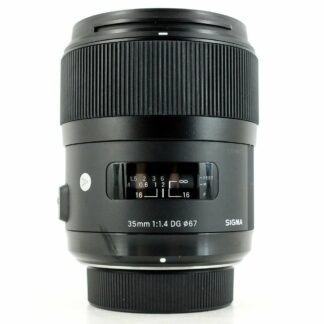
  • Used gems: Sigma 35mm f/1.4 Art, Sigma 50mm f/1.4 Art, and 85mm f/1.4 Art
  • Strengths: Wide-open sharpness, minimal chromatic aberration, rich contrast

Tamron: Impressive Modern Optics at a Lower Price

Tamron has taken huge strides in optical quality, especially with its SP (Super Performance) and newer mirrorless-focused designs. Their VC (Vibration Compensation) and compact zooms have been praised for performance and portability.

  • Used standouts: Tamron 28-75mm f/2.8 Di III RXD (for Sony), Tamron 90mm f/2.8 Macro, 17-28mm f/2.8
  • Strengths: Solid sharpness, image stabilization, compact designs

Winner: Sigma, particularly for prime lenses. Sigma’s Art line often competes directly with OEM glass.


2. Build Quality

Sigma: Premium, Solid, Heavy

Sigma Art lenses are often built like tanks. They have a professional-grade feel with a hefty metal chassis. However, that also means they can be heavier than their counterparts.

  • Pros: Solid construction, premium feel
  • Cons: Larger and heavier, which may be a downside for travel or gimbal use

Tamron: Lightweight and Durable

Tamron leans into lighter, more compact designs. Many of their newer lenses use high-quality plastics that reduce weight without sacrificing durability. Tamron’s weather-sealing is also increasingly common on modern models.

  • Pros: Great for travel, often weather-sealed
  • Cons: Slightly less premium build on older models

Winner: Tie. If you want rugged build, Sigma wins. If you prioritize portability, Tamron has the edge.


3. Autofocus Performance

Sigma: Great on DSLRs, Hit-or-Miss on Mirrorless Without Updates

Sigma’s lenses generally perform well on DSLRs, but when used with mirrorless systems (especially via adapters), some older models may require firmware updates to maintain snappy and accurate AF.

  • Used caution: Be sure to check compatibility or update firmware when possible

Tamron: Consistently Quiet and Fast

Tamron’s recent lenses, especially for mirrorless (like Sony E-mount), feature quiet, accurate autofocus motors. They also adapt better to firmware updates and third-party compatibility.

Winner: Tamron, especially for mirrorless shooters buying used.


4. Lens Variety and Availability on the Used Market

Sigma: Prime Lens Powerhouse

Sigma dominates the third-party prime lens market, offering everything from 14mm to 135mm and beyond. If you’re looking for a fast, used f/1.4 lens, Sigma probably has a great one.

Tamron: Zoom Lens Specialist

Tamron has built a reputation on zoom lenses, particularly lightweight f/2.8 zooms for mirrorless systems. You’ll also find older Tamron zooms for Canon/Nikon DSLRs at bargain prices.

Winner: Depends on your needs

  • Go Sigma for used primes
  • Go Tamron for used zooms

5. Reliability and Warranty (Even Used)

Both brands offer excellent performance, but used lens buyers often worry about longevity. Here’s how each brand holds up:

Sigma

  • Art lenses are durable but complex internally—repairs can be expensive out-of-warranty
  • Used copies often retain value well due to popularity

Tamron

  • Tamron lenses are known to be dependable and less prone to issues like decentering
  • Many Tamron lenses come with longer warranties when new—something to ask about when buying used (some may be transferrable)

Winner: Slight edge to Tamron, especially for long-term reliability at a lower repair cost.


6. Price vs. Performance Ratio

Price is where used Tamron lenses really shine. You’ll often find similar focal lengths and apertures from Tamron at 15–25% cheaper than Sigma.

For example:

  • Used Tamron 24-70mm f/2.8 VC G2: ~$600
  • Used Sigma 24-70mm f/2.8 Art: ~$750–800

While Sigma might offer sharper corners or better build, Tamron often offers better overall value for budget-conscious buyers.

Winner: Tamron, for those looking to maximize performance per dollar.


Verdict: Which Brand Offers More Value Used?

CategoryWinner
Image Quality (Primes)Sigma
Build QualityTie
Autofocus (Mirrorless)Tamron
Zoom LensesTamron
Prime LensesSigma
Reliability/Repair CostTamron
Price/PerformanceTamron

Overall Winner: Tamron for Value, Sigma for Performance

If your goal is maximum value, especially on zoom lenses or lightweight mirrorless setups, used Tamron lenses are hard to beat. However, if you’re chasing ultimate image quality, especially in primes, used Sigma Art lenses still deliver flagship-level optics at a midrange price.


Final Buying Tips

  • Research lens compatibility with your camera system, especially for Sigma lenses via adapters
  • Check firmware update availability
  • Inspect carefully (or buy from a store offering return policies or warranties)
  • Ask about original warranty coverage—some lenses may still be under transferable manufacturer warranties

No matter which brand you choose, buying used Tamron or Sigma lenses is a smart way to stretch your photography budget without compromising on quality.